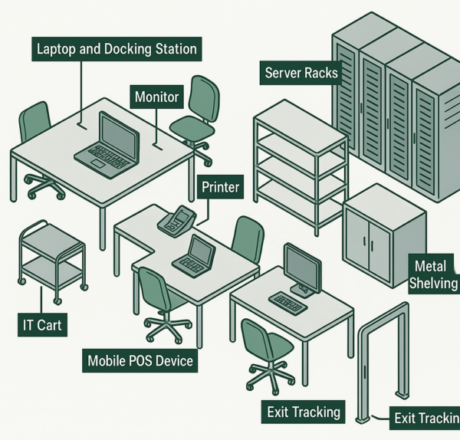
IT assets once meant desktop computers, monitors and printers located in offices. Today, the enterprise IT estate also includes laptops, tablets and a growing range of connected electronic devices used across warehouses, hospitals, shops, campuses and other operational environments.
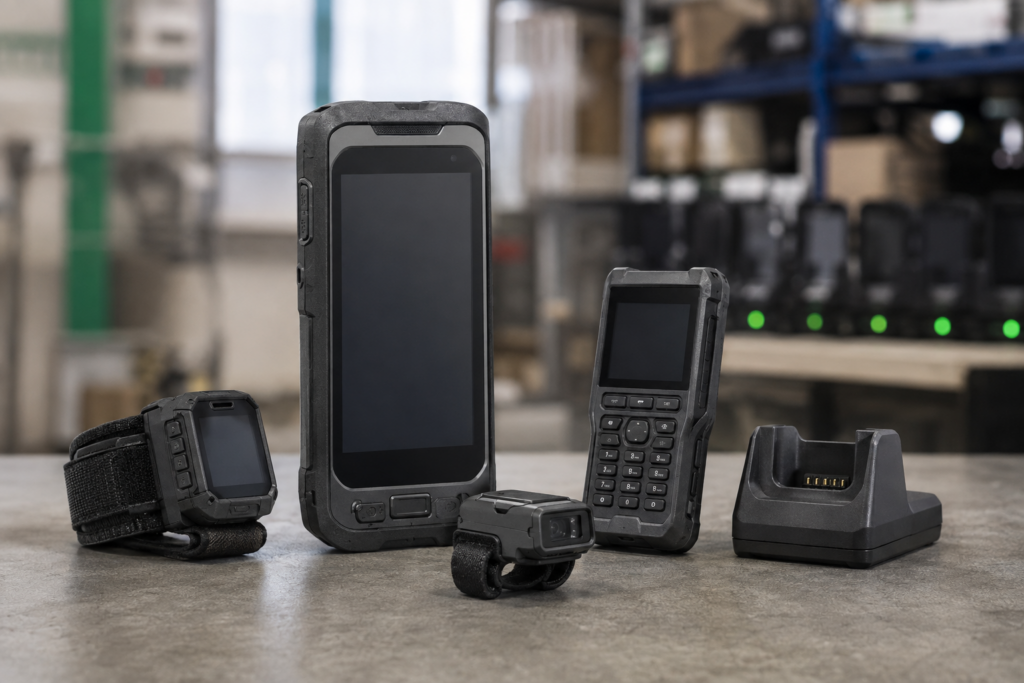
Handheld computers, barcode and ring scanners, radios, cameras, docking stations, chargers and wearable devices now form part of the enterprise digital backbone. They may move between users, work areas and sites, yet remain essential to daily operations.
This expanded device estate creates a physical visibility problem. Network discovery and mobile device management can report on connected equipment, but they cannot always verify the presence and location of devices that are offline, unpowered, in storage or outside the network. Barcodes support identification but require line-of-sight and individual scanning.
RFID adds a physical identification layer. It can support faster inventories and bulk verification across both conventional office equipment and operational devices, including:
- Laptops, tablets and compact computers
- Handheld computers and barcode readers
- Ring scanners and wrist-mounted devices
- Radios, cameras and other mobile electronics
- Docking stations, chargers and power supplies
- SSDs, switches and compact rack-mounted equipment
These devices are not equally easy to tag. Metal housings, limited marking areas, ports, vents, charging interfaces, frequent handling and varied read workflows all affect tag selection and placement.
This engineer’s guide, prepared by the Xerafy engineering team, focuses on the physical RFID tagging layer: how to select, customize, encode, apply and validate tags across a representative enterprise device fleet before moving from pilot to rollout.
1. Why RFID for IT Assets Isn’t Plug-and-Play
Tracking laptops, tablets, monitors, docking stations and other distributed IT devices has long been difficult for large organizations. The challenge now extends to handheld computers, barcode and ring scanners, radios, cameras, wearables and other connected equipment used across enterprise operations.
These assets are valuable, mobile and frequently reassigned. Some remain connected to the network, while others may be offline, unpowered, stored between shifts or shared by multiple users. Manual inventories struggle to maintain an accurate physical record across this mixed device estate.
Barcodes require line-of-sight and individual scanning. RFID enables multiple tagged devices to be identified without direct visual access, helping teams conduct faster inventories and verify the physical presence of equipment without relying solely on network connectivity.
However, reliable RFID performance depends on matching the tag, placement and read workflow to the actual device and operating environment.
RFID tagging across enterprise IT devices presents a distinct set of engineering constraints:
- Metal housings, internal electronics and nearby shelving can detune a conventional RFID label and reduce read performance.
- Small or irregular devices may offer very little usable marking area.
- Tags must avoid ports, vents, displays, battery covers, charging contacts, docking interfaces and high-contact grip zones.
- Frequently handled devices require an adhesive and label construction suited to abrasion, cleaning and repeated movement.
- The required read workflow may vary between desk-side audits, storeroom inventories, charging areas and fixed verification points.
- Large or multi-site rollouts require consistent tag selection, placement, encoding and application across each device class.
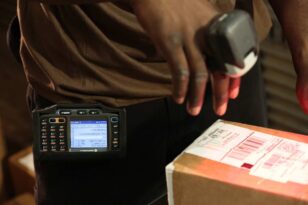
A tag that performs well on one laptop may not be suitable for a ring scanner, radio or charging dock. Engineers must evaluate the surface material, available placement area, handling conditions and expected read workflow for each representative device class.
The first decision is therefore not simply which RFID tag to buy, but which tag and placement combination will perform reliably on the actual device.
2. RFID Tag Selection for IT Assets: Engineering the Right Fit
RFID tag selection starts with the actual device, not the asset category alone. Two laptops or handheld computers can differ in housing material, available marking area, internal metal, handling pattern and charging interface.
Engineers should therefore select and validate the tag and placement by representative device class, considering four primary constraints: surface material, available space, handling conditions and the required read workflow.
Metal and Interference Zones
Laptops, tablets, handheld computers, docking stations and network equipment commonly contain metal housings, metalized components or internal electronics close to the available tagging surface.
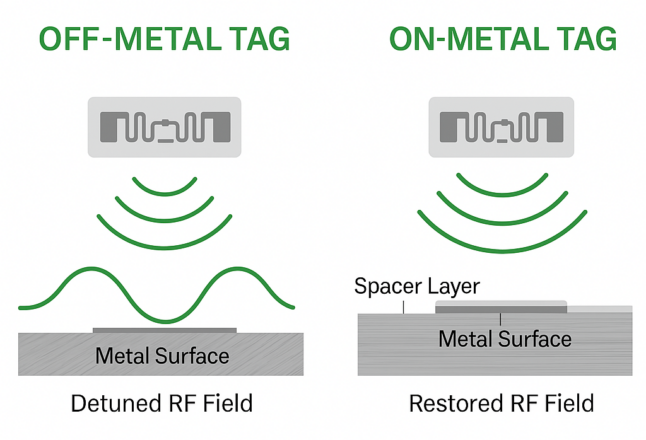
A conventional RFID label designed for cardboard or plastic will lose much of its read performance when applied directly to metal. An on-metal RFID label incorporates the separation needed to operate on a conductive surface.
Engineers should:
- Confirm the material beneath the proposed tag location, rather than relying only on the device’s external appearance.
- Use an on-metal label where the tag will contact metal or where internal metal affects performance.
- Validate the tag on the actual device, including any brackets, docks or shelving present during the intended read workflow.
- Avoid assuming that one placement will work across different models of the same device class.
Space and Geometry Constraints
Laptops usually provide a relatively large, flat labeling area. Handheld computers, barcode readers, ring scanners, radios and wearable devices may provide only a narrow or curved area between ports, vents, battery covers, grips and charging interfaces.
Before selecting a tag, identify a placement that:
- Does not obstruct ports, vents, controls, cameras or displays
- Does not interfere with docking, charging or battery replacement
- Avoids primary grip and high-friction areas
- Provides enough surface contact for the adhesive
- Remains accessible to the intended RFID reading workflow
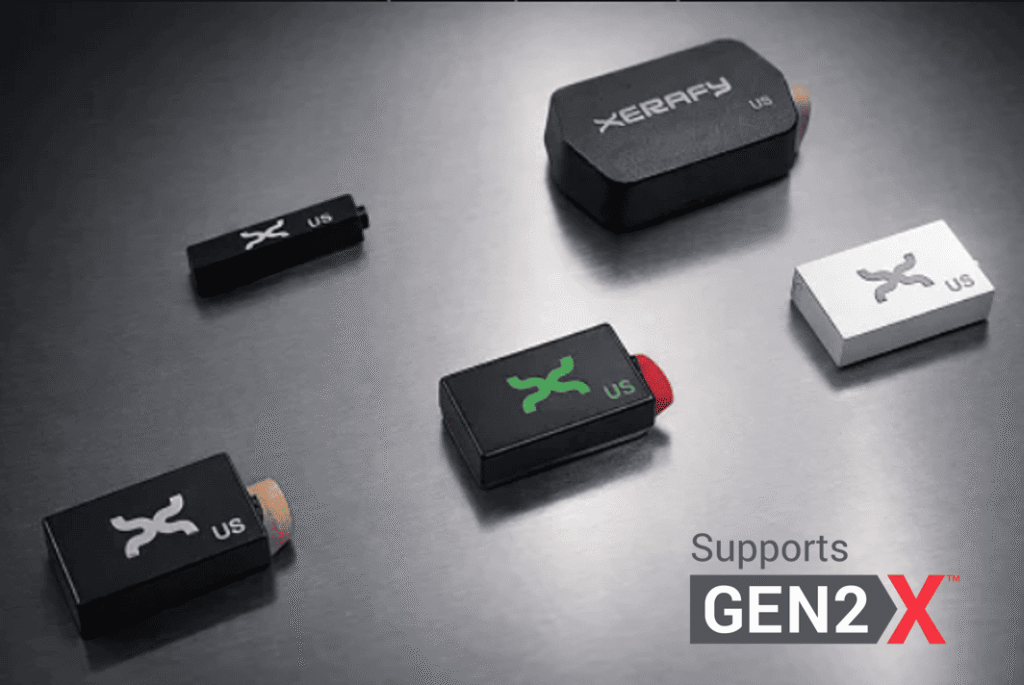
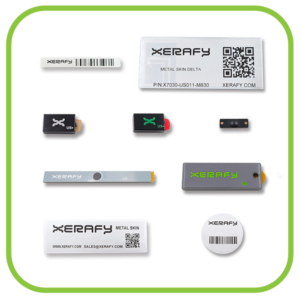
The Metal Skin® series provides several starting points for these constraints:
- Metal Skin® Delta combines a 0.4 mm profile, printable face stock and on-metal performance for laptops, tablets, handheld computers and other devices where thickness and conformability matter.
- Metal Skin® Titanium provides a smaller on-metal format for compact devices with more limited marking areas.
- A custom label format may be required when a standard product cannot fit the available surface or meet the required printing, encoding or application process.
Selection should be confirmed on representative device models before one format is approved across the fleet.
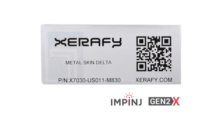
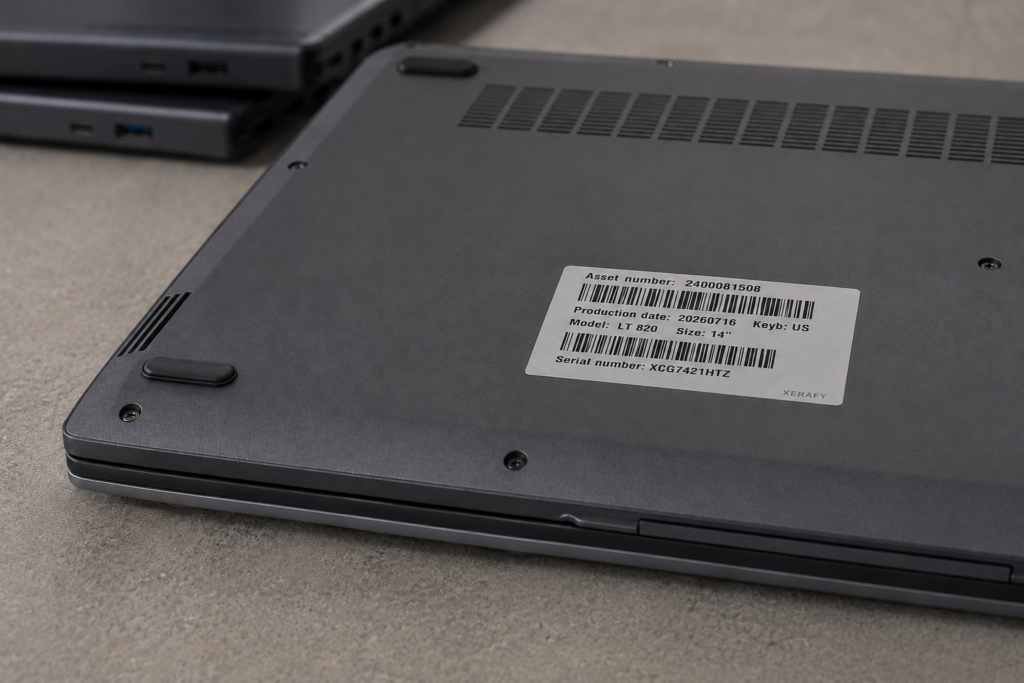
0.4mm thin – The Metal Skin® Delta M830 is the thinnest on-metal RFID label and the only one printable using desktop RFID printers, making it ideal for curved or compact IT devices.
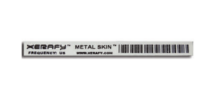
The Metal Skin® Titanium M830 is the smallest on-metal RFID label, offering discreet, high-performance tracking optimized for small and high-value electronic devices.
Durability and Handling
Durability requirements depend on how the device is used. A label applied to the rear of a desktop monitor faces different conditions from one applied to a handheld computer shared across warehouse shifts.
Evaluate:
- Frequency of handling and reassignment
- Contact with hands, holsters, work surfaces or storage slots
- Cleaning methods and chemical exposure
- Surface texture, coating and curvature
- Temperature and humidity during application and use
- Required service life and whether the asset tag must remain visually readable
The label construction and adhesive should be selected for the actual device surface and handling conditions. Frequently handled devices require particular attention to edge lifting, abrasion and placement in contact zones.
Mounting and Attachment Methods
Correct application is as important as tag selection. For most laptops, tablets, handheld computers and related devices, an adhesive RFID label provides the most practical attachment method.
Engineers should:
- Confirm that the adhesive is compatible with the device surface
- Apply the label to a clean, dry and sufficiently flat area
- Avoid seams, sharp curves and frequently contacted edges
- Check clearance when the device enters a dock, cradle, holster or charging station
- Define one approved placement for each device model or class
- Record approved placements with photographs or application templates
Mechanical fastening or embedded RFID integration should be considered only when the device design and ownership model support it. It is not the default recommendation for mobile electronics.
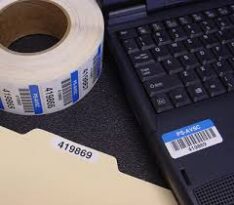
The following matrix provides a starting point for representative-device testing. It should not replace validation on the actual device, placement and read workflow.
Tag Selection for Enterprise IT Devices
| Device class | Main constraints | Recommended starting point | What to validate |
|---|---|---|---|
| Laptop, tablets, compact PCs | Metal or metalized enclosure, thin profile, frequent handling | Metal Skin® Delta; Titanium where the marking area is smaller |
|
Handheld computers, barcode readers | Internal metal, curved surfaces, docking, high-touch use | Delta or Titanium depending on available area; custom format where necessary |
|
Ring scanners, wrist-mounted devices | Very limited area, curvature, ergonomics and repeated movement | Titanium or a device-specific custom label |
|
Radios and cameras | Mixed materials, battery covers, controls and high-contact areas | Delta or Titanium based on usable surface area |
|
Docking stations, chargers, power supplies | Mixed or metal surfaces, vents, contacts and grouped storage | Delta or Platinum where more printable area is required |
|
Desktop computers, monitors and printers | Mixed surfaces, larger marking area and nearby brackets | Platinum or Delta |
|
SSDs and compact electronic components | Metal surface and highly constrained space | Titanium or a validated custom format |
|
Network switches and rack-mounted devices | Metal enclosure, cables, vents and dense equipment | On-metal label sized for the available placement area |
|
RFID is particularly useful when devices cannot be consistently verified through network discovery, including equipment that is offline, unpowered, stored between shifts or shared between users. The RFID identifier can be associated with the existing asset record without placing detailed lifecycle data on the tag itself.
Validate the Tag on Representative Devices
Do not approve one RFID label based on a single laptop or scanner. Test a representative set of device models, surfaces, placements and read workflows.
Xerafy can provide an IT Assets and Mobile Devices Test Pack and review the device matrix to identify the best candidates for pilot validation.
3. Encoding and Serialization for Scalable IT Asset Tagging
Selecting the right RFID label addresses the physical device. Scaling the deployment also requires every tag to be printed, encoded, associated and verified through a repeatable process.
For most IT asset programs, the RFID tag should carry a unique identifier that links the physical device to its existing asset record. Detailed information such as device model, owner, status, location, warranty or service history can remain in the asset register or IT asset management system.
Combining RFID with a barcode and human-readable asset number provides a practical fallback and helps the application team confirm that the correct tag is being associated with the correct device.
Centralized vs. Field-Based Encoding
Encoding can take place centrally before the tags reach the deployment site or in the field while existing devices are being tagged. The right model depends primarily on whether the program concerns new devices, an installed fleet or both.
Centralized encoding
- Best suited to new deployments, high tag volumes and standardized device programs
- Main advantages: Higher throughput, consistent serialization, coordinated RFID and visual printing
- What must be controlled: Unique IDs, print quality, write verification, batch control and delivery by site or device class
Field encoding
- Best suited to retrofitting devices already distributed across offices or operational sites
- Main advantages: Allows the tag to be associated with the device at its current location
- What must be controlled: Operator training, duplicate prevention, write-read verification and exception handling
Where possible, tags should be supplied with the required RFID encoding, barcode and human-readable information already applied. This reduces the number of operations performed in the field and improves consistency across sites.
Xerafy’s service bureau can provide printed and pre-encoded RFID labels based on the required serialization and visual-identification format. For teams preparing labels internally, Xerafy provides a Zebra printer setup guide, as well as guidance for SATO and TSC RFID printers.
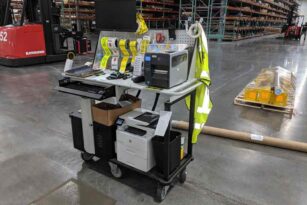
Where Should IT Asset Tags Be Applied?
Tag application can take place at three points in the device lifecycle:
Field retrofit
- Devices are already distributed among users, offices or operating sites
- Flexible, but labour-intensive and more difficult to standardize
Centralized enterprise application
- Devices pass through an internal IT, staging or asset-management centre
- Enables controlled placement, association and verification before release
Source tagging
- A distributor, integrator or other device-preparation partner configures equipment before deployment
- Allows customization, encoding, application and device association to become part of the standard preparation workflow
Source tagging is particularly valuable when new devices already pass through a configuration or staging process. Applying the customized and encoded RFID tag at that point can:
- Reduce tagging work at the destination site
- Standardize placement by device model
- Confirm the tag-to-device association before deployment
- Verify barcode, human-readable and RFID data together
- Identify damaged, unreadable or incorrectly encoded tags before the device enters service
- Prepare devices consistently for different sites or business units
In one enterprise laptop RFID program, customized and encoded tags were applied by the device-preparation partner before deployment.
The approved process should define the label format, encoding rules, placement by device model, verification steps and handling of exceptions. The same specification can then be used by the enterprise or an authorized device-preparation partner.
EPC Structure and Serialization
The EPC provides the unique RFID identifier used to associate the tag with the device’s existing asset record. The EPC does not need to contain the device description, location or lifecycle history. It needs to be unique, consistently generated and correctly associated.
Before encoding begins, define:
- How unique EPCs will be generated or supplied
- Whether the EPC corresponds to an existing asset number or acts as a separate lookup key
- How the RFID identifier will be paired with the device serial number and asset record
- Which barcode and human-readable information will appear on the label
- How duplicates, failed writes, damaged labels and replacement tags will be handled
- At what point the association will be verified and approved
A typical preparation sequence is:
- Generate or retrieve the approved unique identifier.
- Print the barcode and human-readable information.
- Encode the EPC.
- Read the tag back to verify the written value.
- Associate the EPC with the device serial number or existing asset record.
- Apply the tag in the approved position.
- Verify readability on the tagged device before deployment.
The exact sequence may vary, but each device should leave the process with a verified one-to-one association between its physical tag and asset record.
Tag Memory Use: Keep It Simple
For most IT asset deployments, the EPC should be used as the unique identifier and the detailed asset information should remain in the enterprise system.
MEMORY AREA | Recommended treatment |
EPC | Electronic Product Code: Store the unique identifier (96 or 128 bits) used to link the tag to the asset record |
User Memory | Use only when the application or customer data standard specifically requires it |
TID | Factory-programmed chip identifier that can support tag verification and exception handling |
Access/Kill Password | Configure only when the operational or security requirements justify the additional process |
Avoid storing device status, location, ownership or service information directly on the tag unless there is a defined requirement and the deployed readers and software can use it consistently.
If EPC locking or password protection is required, perform it only after the identifier has been written, read back and correctly associated with the device.
Associate the RFID Tag with the Existing Asset Record
RFID complements the existing asset register, ITAM platform, CMDB or device-management system by providing a physical identifier that can be read when the device is offline, unpowered or stored outside the network.
The minimum association record will commonly include:
- RFID EPC
- Existing asset number
- Manufacturer serial number
- Device class and model
- Approved tag placement
- Site or deployment batch where required
The data can be imported, scanned or transferred through the organization’s established asset-registration workflow. The important engineering requirement is not a particular software platform, but a reliable one-to-one association between the encoded tag and the correct device record.
Before the device is released, verify that:
- The RFID value matches the intended asset record
- The barcode and human-readable information are correct
- The tag remains readable after application to the device
- Duplicate or failed associations are isolated for correction
Network discovery and mobile device management can continue to report on connected devices. RFID provides complementary physical verification for equipment that may be offline, unpowered, stored or shared between users.
Encoding and Association Checklist
Before releasing a tagged device:
> Confirm that the EPC is unique and follows the approved serialization method
> Verify the encoded EPC through a read-back test
> Check the barcode and human-readable information
> Associate the EPC with the correct device serial number and asset record
> Apply the tag in the approved position for that device model
> Verify RFID performance after application
> Isolate duplicate, damaged or incorrectly encoded tags
> Record any approved exceptions before deployment
4. From Pilot to Rollout: Validate the Complete Tagging Workflow
A suitable RFID label is only the starting point. Before rollout, engineers must validate the tag after it has been applied to representative devices and test it through the intended inventory or verification workflow.
The pilot should confirm four connected elements:
- Tag and device compatibility
- Approved placement and application method
- Encoding and asset-record association
- Read performance in the intended operating environment
The objective is not to demonstrate that RFID works under ideal conditions. It is to define a repeatable tagging specification that can be applied across the actual device fleet.
Field Validation: From Spec Sheets to Real-World Results
Datasheet performance provides a comparison point, but it does not predict performance on every device. The pilot must use actual device models, approved tag placements and the readers that will be used in operation.
Build a representative device matrix covering meaningful variation, such as:
- Device class | Laptop, handheld computer, barcode reader, ring scanner, radio, dock or charger
- Device construction | Metal, metalized plastic, plastic enclosure and mixed materials
- Form factor | Large flat surface, narrow area, curved housing and wearable device
- Handling | Desk-based, frequently carried, holstered, shared between shifts or stored in a charger
- Read workflow | Desk-side audit, room inventory, storeroom count, charging-area verification or fixed checkpoint
- Operating context | Individual devices, grouped devices, metal shelving, charging racks or dense equipment areas
Ten nearly identical laptops provide less useful evidence than a smaller set covering the material, geometry, handling and workflow differences present across the fleet.
For each device and placement, validate:
- Initial RFID readability after application
- Read consistency from the expected reader positions
- Performance in normal device orientations
- Clearance from ports, vents, batteries, docks and chargers
- Adhesion and edge retention under expected handling
- Correct EPC, barcode and asset-record association
- Any missed, unintended or inconsistent reads in the actual workflow
Record the device model, tag used, approved placement, test conditions and result. Failed combinations are useful when they identify placements or device classes requiring a different tag.
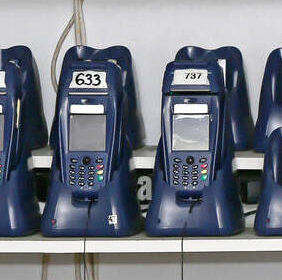
Tag Application: Surface Prep and Placement Discipline
A validated tag and placement can still fail if the application process is inconsistent. Define an application standard for each approved device model or class.
Application Checklist
> Confirm the device model and approved tag
> Verify that the proposed location matches the placement guide
> Clean and prepare the surface according to the adhesive and device-manufacturer requirements
> Allow the surface to dry completely before application
> Apply the label evenly without folds, trapped air or lifted edges
> Use the specified application pressure
> Observe the required adhesive dwell or curing time before testing or handling
> Confirm clearance from vents, ports, batteries, controls, docks and charging contacts
> Read the tag after application
> Record and isolate application failures or approved exceptions
Use photographs, placement diagrams or simple templates where several operators or sites will apply tags. The standard should show both the correct location and common locations to avoid.
Validate the Intended Read Workflow
Tag validation must reflect how inventories or verification checks will actually be performed. A tag that reads successfully at close range on a desk may not deliver the same result when devices are stored together, placed in chargers or inventoried from a normal walking position.
- Handheld inventory | Offices, storerooms, charging areas and distributed device fleets: Can the operator identify the required devices from realistic positions without excessive searching or repeated passes?
- Fixed verification point | Controlled doorways, preparation stations or other defined process points: Can the required devices be captured without excessive reads from adjacent areas?
- Hybrid workflow | Programs combining scheduled inventories with controlled verification points: Are tag placement, encoding and exception handling consistent across both reader types?
Test the approved tag and placement using the actual reader type, normal device orientation and realistic storage density. Include metal shelving, docks, chargers and adjacent devices where they form part of the operating environment.
Detailed reader power, antenna selection and read-zone engineering should be addressed during system design rather than prescribed in the tag-selection guide.
Multi-Site Deployment: Standardization With Local Flexibility
Multi-site rollout requires a controlled tagging specification, while still allowing validated exceptions for local device models and workflows.
Define centrally:
- The approved tag or tags for each device class
- The approved placement by device model
- The EPC and visual-identification format
- The encoding, association and verification process
- The application and surface-preparation method
- The acceptance criteria for RFID performance
- The process for replacement tags and failed associations
- The evidence required to approve an exception
For each rollout site:
- Confirm the local device mix against the validated device matrix
- Check the regional frequency and reader configuration
- Validate any device models, storage conditions or workflows not covered by the original pilot
- Supply printed and encoded labels by site, batch or device class where appropriate
- Provide placement guides and a concise application checklist
- Record failures and exceptions so that the central specification can be updated
The rollout plan should also define how untagged or misplaced assets are handled, including who records the exception, who follows up and how the asset record is corrected. Standardization should reduce unnecessary variation, not force one tag or placement onto device models for which it has not been validated.
Dense data-centre environments introduce additional constraints around airflow, cables, metal racks and equipment density. Validate these deployments separately using the guidance in Xerafy’s RFID for Data Centers resources.
Pilot-to-Rollout Gate
Proceed to rollout only when:
- Each representative device class has an approved tag and placement
- Read performance has been validated in the intended workflow
- The application process can be repeated by the responsible operators or device-preparation partner
- Encoding and visual information have been verified
- Each RFID identifier can be associated with the correct device record
- Exceptions and replacement-tag procedures have been defined
- Any untested device models or site conditions have been identified for separate validation
The output of the pilot should be a controlled tagging specification, not simply a successful demonstration.
5. Build a Repeatable IT Asset Tagging Specification
Successful IT asset tagging depends on more than selecting an RFID label from a datasheet. The tag, placement, encoding, application and read workflow must be validated together on the actual devices.
A scalable tagging specification should define:
- The approved RFID label for each representative device class
- The approved placement by device model
- The printed, barcode and RFID identification format
- The encoding and asset-record association process
- The application and verification procedure
- The intended handheld, fixed or hybrid read workflow
- The acceptance criteria, exceptions and replacement-tag process
- Where tagging will take place: in the field, at an enterprise staging centre or through a source-tagging partner
This specification becomes the controlled basis for procurement, device preparation and multi-site rollout. It also allows future device models to be assessed against an established process rather than treated as a new tagging project each time.
Start with a Representative Device Set
Share the device classes and representative models included in the program, together with the available marking areas and intended read workflow.
- Select candidate RFID labels for each device class
- Provide an IT Assets and Mobile Devices Test Pack
- Review tag placement on representative devices
- Define printing and encoding requirements
- Develop a custom format where standard labels do not fit
- Support a repeatable application and verification specification
Xerafy provides printable on-metal RFID labels, customization, encoding and application-engineering support for enterprise IT devices.
Standard Metal Skin® labels can support laptops, tablets, handheld computers and compact electronics, while custom formats can be developed for constrained device geometries and deployment workflows.