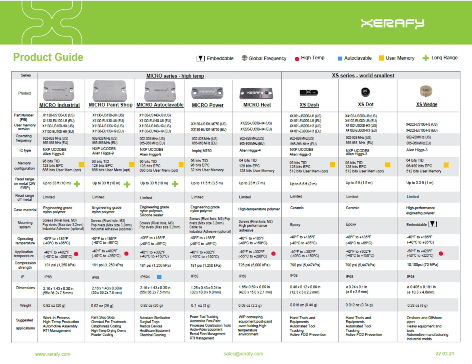
Need labels supplied printed and encoded? Xerafy’s Service Bureau can prepare them before shipment.
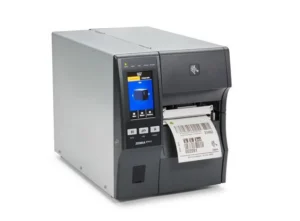
Zebra ZT411R – The Reference Industrial RFID Printer
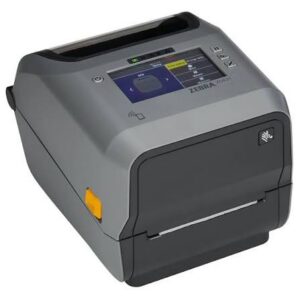
Xerafy recommendation: Use the ZT411R as the default 4-inch industrial RFID printer when you need a strong balance of roll capacity, speed, connectivity and print resolution. Zebra also offers a dedicated ZT411R On-Metal configuration for thicker on-metal label workflows.
Key features:
> Standard RFID and dedicated On-Metal RFID configurations
> Up to 4.09 in./104 mm print width and 14 ips/356 mm per second
> 203, 300 or 600 dpi on standard ZT411R RFID configurations
> Adaptive RFID encoding, metal frame and 4.3-inch color touchscreen
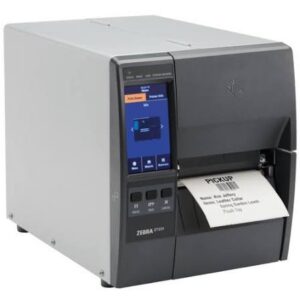
Zebra ZT231R – Lower-cost industrial choice
Xerafy recommendation: Choose the ZT231R when you need industrial roll capacity, a metal frame and RFID encoding without the volume level or cost of the ZT411R or ZT610R. It is the practical option for lower-volume industrial jobs and space-conscious work areas.
Key features:
> Compact industrial footprint and lower entry cost
> Up to 4.09 in./104 mm print width
> Up to 12 ips at 203 dpi or 8 ips at 300 dpi
> Adaptive RFID encoding and 4.3-inch color touchscreen
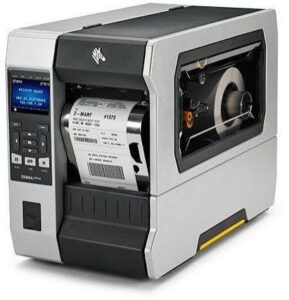
Zebra ZT610R – Sustained high-volume choice
Xerafy recommendation: Choose the ZT610R for continuous production, demanding industrial environments and high-volume 4-inch RFID jobs where uptime and the 600 dpi option matter. The ZT620R provides a maximum print width of 6.6 in./168 mm. It is the specialist option for wide-format RFID printing.
Key features:
> Rugged all-metal construction for 24/7 industrial use
> Up to 4.09 in./104 mm print width and 14 ips/356 mm per second
> 203, 300 or 600 dpi
> Adaptive RFID encoding and factory- or field-installable RFID encoder
Zebra ZD621R – Desktop choice
Xerafy recommendation: Choose the ZD621R for lower-volume, point-of-use RFID workflows where compact size and simple desktop operation matter.
Key features:
> Compact 4-inch desktop RFID printer-encoder
> Up to 4.09 in./104 mm print width at 203 dpi
> Up to 8 ips at 203 dpi or 6 ips at 300 dpi
> Zebra RE40 RFID module, adaptive encoding and 4.3-inch color touchscreen
The printer is only half the RFID labeling decision. Choosing by speed or price alone is not enough.
The printer, RFID label construction and job setup must work together. Label width and thickness, label pitch, print resolution, ribbon, encoding position and load all affect the result.
Xerafy recommendation: Choose the printer by workflow, production volume, print width and resolution.
For help choosing label construction and adhesive for your assets, see our RFID Labeling Guide.
Where to buy Zebra RFID printers and labels?
Buying a printer? Use the official Zebra product links below or contact an authorized Zebra distributor in your region.
What is the difference between the standard ZT411R and ZT411R On-Metal?
Zebra positions the standard ZT411R for conventional RFID workflows. The ZT411R On-Metal uses a specialized label path for thicker on-metal constructions.
What does the Xerafy printing guide cover?
It documents Xerafy’s practical Metal Skin® on-metal RFID labels printing, encoding and setup experience across the Zebra models on this page.
Use the linked Zebra pages for printer specifications.
Are RFID printer settings the same across Zebra models?
No. Print speed, darkness, sensing, RFID calibration and antenna or program position can change by printer and label. Start with the model-specific guidance, then save the verified profile after a short production batch.
Should I choose 203, 300 or 600 dpi?
Use 203 dpi for standard text, barcodes and higher print speed. Choose 300 dpi for smaller barcodes or denser artwork. Use 600 dpi only when very small text or high-detail printing justifies the lower speed and higher cost.