Before a shackle goes back into service, the crew needs to confirm its identity and find its latest inspection report. A worn serial number can slow that down. When equipment moves between rental depots, workshops, and offshore sites, the report may also be in a different system from the asset register.
With a handheld RFID reader, an inspector can scan the shackle and open the record for that exact item. The tag needs to stay readable through normal handling and at the inspector’s working distance. The inspection software links the tag ID to the asset record so the inspector can review previous findings and save the new check against the same item.
A first pilot can focus on one group of lifting accessories and one inspection task. During a normal inspection round, the team can see whether the tag, reader, and software work together reliably and whether the workflow saves time on record searches and repeated data entry.
1. Identify Equipment and Access Its Inspection Records
When inspecting lifting equipment, staff need more than an equipment ID. They must confirm the item’s inspection status, review previous findings, and check whether any defects or outstanding actions require attention.
With RFID, the inspector can identify a lifting shackle using a compatible reader and open its record in the inspection application. Previous inspection reports, certificates, and relevant equipment details can be retrieved without manually searching for the correct files.
After completing the examination, the inspector can record findings, photographs, and notes against the same equipment record.
The same identification process can support routine pre-use checks. Operators check equipment condition before use, while qualified inspectors carry out formal examinations at the required intervals. These activities serve different purposes, but their records can contribute to the equipment’s history.
Managing Inspections with CoreRFID’s CheckedOK
CoreRFID developed CheckedOK for companies responsible for inspecting and maintaining lifting equipment and other industrial assets.
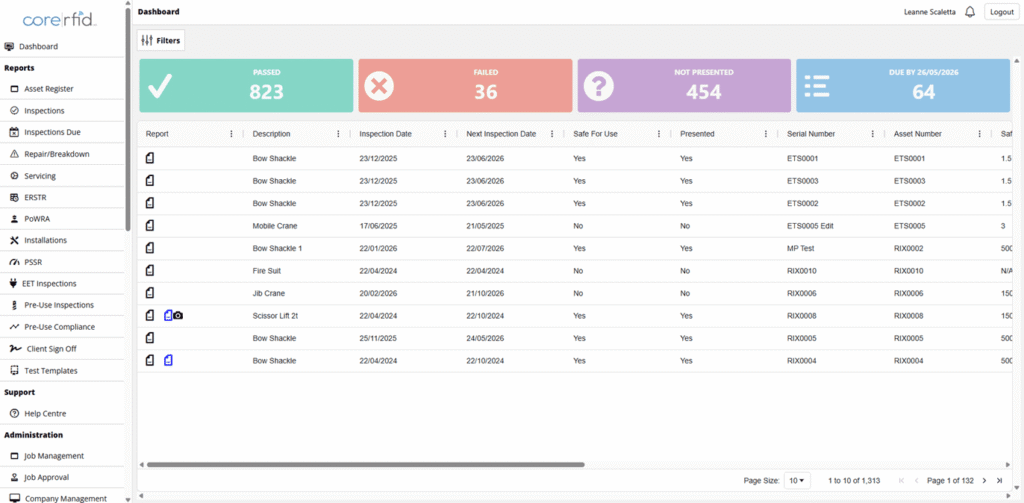
The software brings equipment registers, inspection schedules, certificates, and inspection history together. Inspectors can review previous findings, check upcoming inspection requirements, and record completed inspections with photographs and notes through its mobile application.
CoreRFID can connect RFID identification to an existing equipment management system where a suitable interface is available, or provide CheckedOK for managing inspections, certificates, and equipment history.
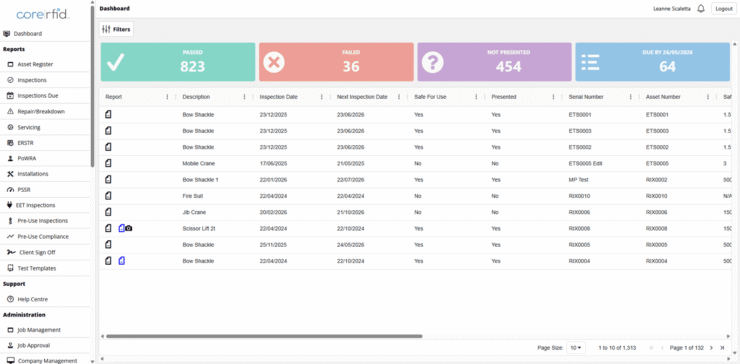
CORERFID CheckedOK Software Dashboard
CoreRFID also offers a Pre-Use Checks app for routine equipment checks, allowing operators to record equipment condition and make the results available to maintenance and inspection teams.
For offshore installations and remote locations, where network coverage may be limited, CheckedOK’s offline inspection capability allows work to continue without a continuous connection. Records can be synchronised when connectivity is restored, according to the configured workflow.
By linking RFID identification to the correct equipment record, inspectors can spend less time locating information and more time completing inspections and addressing equipment issues.
2. Match the RFID Tag and Reader to the Equipment
Lifting shackles, hooks, lifting beams, and maintenance tools differ in size, shape, and handling requirements. The RFID tag and reading method should suit the equipment and the way staff use it.
Selecting and Mounting RFID Tags
Xerafy offers rugged RAIN RFID tags and on-metal RFID labels for industrial equipment.
For lifting equipment, the main considerations are:
- Equipment size and surface: Choose a tag that fits the available mounting area and performs reliably on metal.
- Mounting and protection: Keep tags clear of load-bearing and contact areas. Any attachment must be compatible with the equipment manufacturer’s requirements.
- Operating conditions: Consider impact, abrasion, moisture, chemicals, and temperature exposure during normal use.
- Reading distance: For individual inspections, consistent identification at the operator’s normal working distance matters more than achieving the longest possible read range.
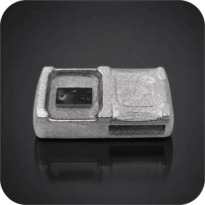
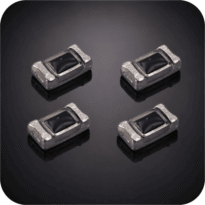
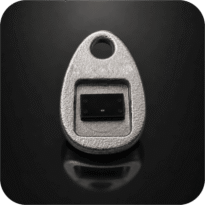
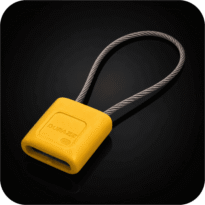
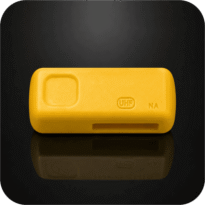
Small, frequently handled lifting accessories can be good candidates for RFID where markings are difficult to read and tags can be installed without affecting safe use. Larger equipment may require different tag formats or mounting methods.
For use in classified hazardous areas, tag and reader selection must also account for the site’s area classification and applicable ATEX or IECEx requirements. Equipment suitability and certification should be confirmed for the intended installation.
Selecting the RFID Reader
For individual equipment inspections, a handheld RFID reader is often sufficient. Staff can identify each item as they work, without installing fixed readers throughout the facility.
Fixed readers may be useful where equipment movements need to be recorded automatically, such as at toolroom entrances or equipment issue and return points.
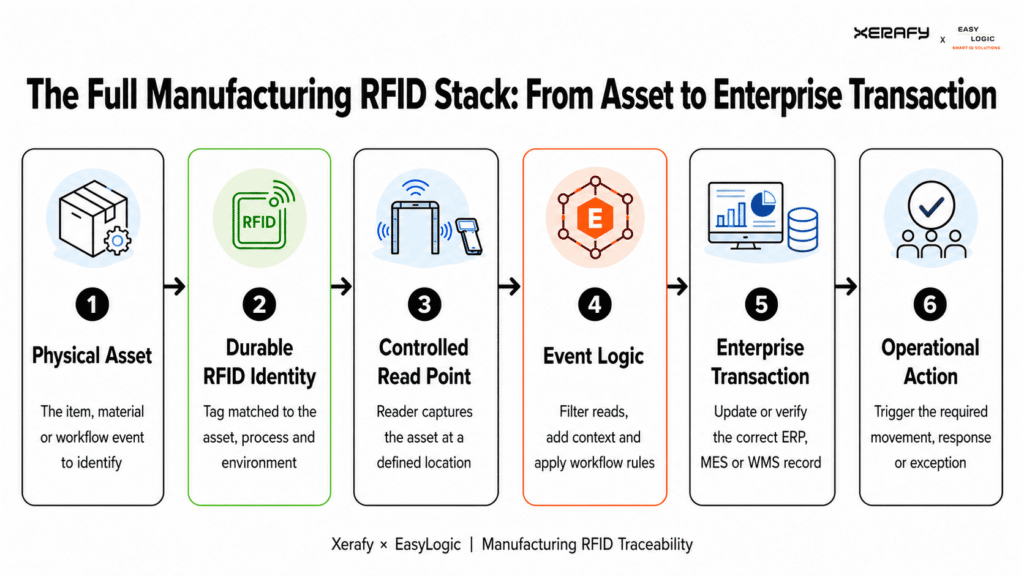
Passive UHF RFID tags require a compatible UHF reader. The reader captures the tag’s identification number, while the connected application retrieves the corresponding equipment record.
Xerafy provides expertise on tag selection, attachment, and read performance. CoreRFID helps operators select suitable readers and connect RFID identification to their inspection and asset management software.
Application Example: RFID for a European Lifting Equipment Rental Company
A European lifting equipment rental company managing more than 30,000 items worked with CoreRFID to improve equipment identification and inspection record management.
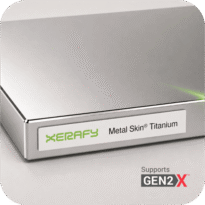
CoreRFID selected Xerafy Metal Skin® Titanium UHF RAIN RFID labels for compact metal lifting equipment, using heat-shrink sleeves to protect the labels during handling. RFID identification was integrated with the customer’s existing CRM and bespoke iPhone application for inspection records and equipment check-in/check-out.
The project demonstrates the importance of protecting RFID labels during equipment handling and connecting identification data to existing rental and inspection workflows.
Read the full case study for more details.
3. Getting Started with RFID Equipment Inspections
Introducing RFID does not require changing the entire inspection process. A practical starting point is a group of lifting shackles or other equipment that requires regular inspections, where manual identification and record searches take unnecessary time.
Step 1: Select the Equipment
Start with a manageable group of lifting accessories, such as shackles or hooks.
Confirm which information inspectors need, including equipment details, previous findings, certificates, and inspection dates.
Step 2: Connect RFID Tags to Equipment Records
Attach suitable RFID tags to the selected equipment and link each tag’s unique ID to the corresponding record in the inspection system.
Use a compatible handheld reader to identify the equipment and access its records.
Step 3: Use RFID During Normal Inspections
Let inspectors use RFID during their regular work to identify equipment, review inspection history, and record completed checks.
Before expanding to more equipment, consider three questions:
- Identification: Can inspectors consistently identify the correct equipment and retrieve its record?
- Inspection records: Can they complete and save the required checks against the correct item?
- Time and effort: Does RFID reduce manual searches and repeated data entry compared with the current process?
Once the process works well for the selected equipment, it can be extended to other lifting accessories, maintenance tools, or operating sites.
Looking to Simplify Your Equipment Inspections?
For lifting and rigging teams, RFID can reduce time spent identifying lifting equipment, searching for inspection records, and entering equipment information manually.
When equipment identification is connected to inspection software, inspectors can access the information they need and record completed checks as part of their existing work.
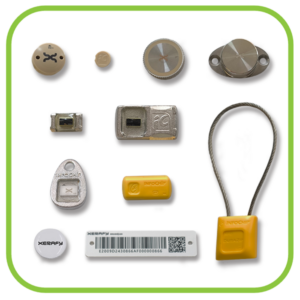
Ready to Simplify Equipment Inspections? Start with the Xerafy Oil & Gas RFID Test Pack to evaluate tags on your equipment. CoreRFID can support reader selection and integration with CheckedOK or your existing inspection management system.
Contact Xerafy and CoreRFID to discuss your application.
Xerafy is a pioneer in Industrial RFID, bringing to market several innovations that enable advanced industrial identification and automation capabilities.
In addition to a complete range of field-proven RFID tags available off-the-shelf, Xerafy offers Custom RFID Tags services, covering everything from a personalization service bureau to custom-design engineering capabilities.