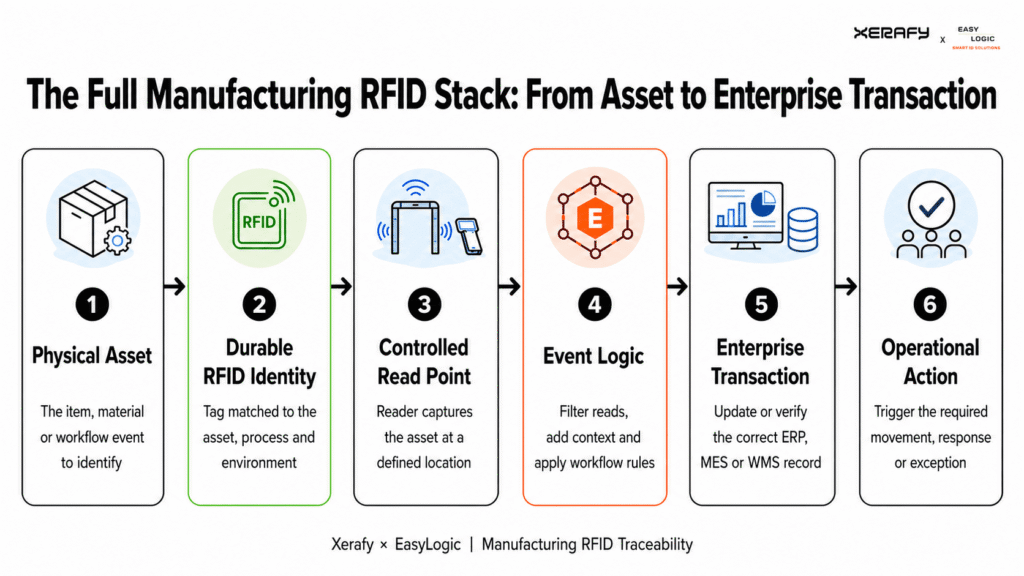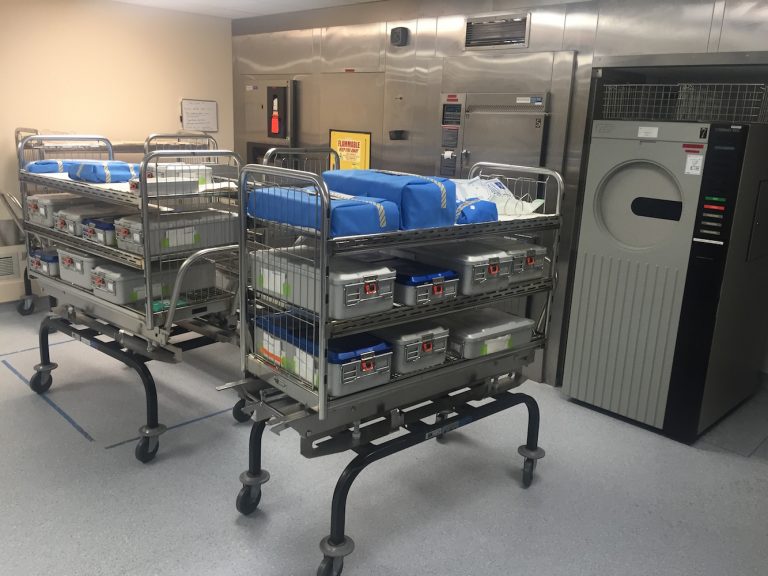
The cabinet alone does not determine performance. Reliable operation depends on selecting RFID tags that fit each tool, positioning and attaching them correctly, designing the read zone for dense metal storage, and validating the complete configuration under representative loaded conditions.
This guide explains how RFID tool cabinets work, which system features to compare, and how to evaluate the tagging and read-performance requirements before deployment.
Where RFID Smart Cabinets Are Used
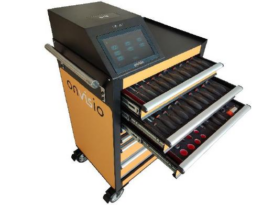
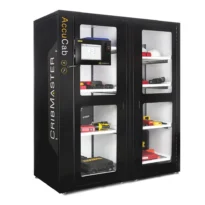
RFID smart cabinets are most useful when assets require controlled storage, item-level identification and frequent inventory or issue-and-return checks.
Typical applications include:
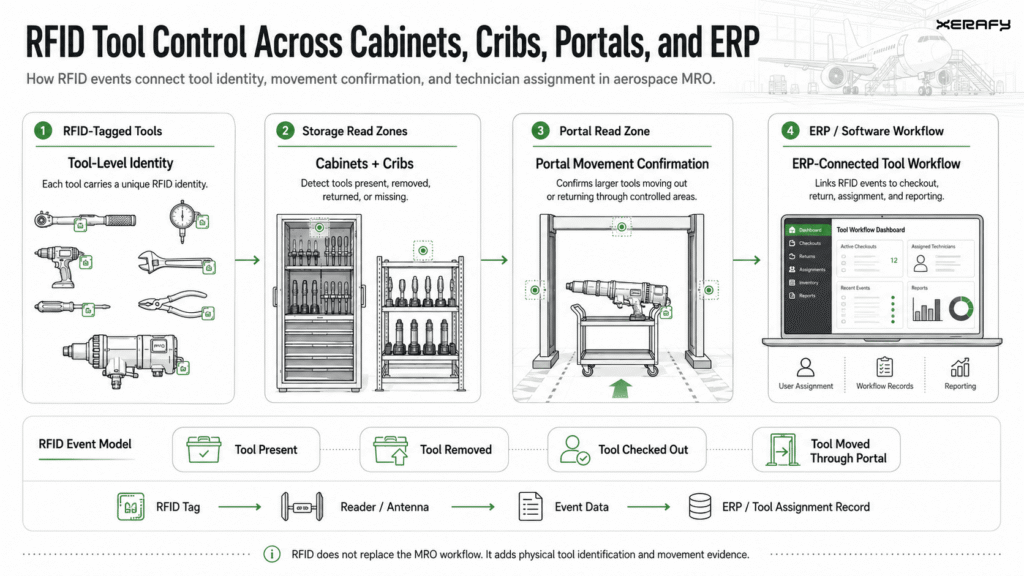
> Aerospace MRO: Managing sockets, wrenches, calibrated tools and specialist equipment stored near aircraft work areas. Some deployments combine cabinets with cribs and portals to cover tools that use different storage and movement workflows. See how Avianor uses RFID across cabinets, cribs and portals.
> Manufacturing: Controlling hand tools, lifting gear, gauges, CNC tooling and maintenance kits used across production and maintenance operations. A UK power systems OEM, for example, combined Xerafy PICO tags with RFID-enabled smart lockers for tools and lifting equipment.
> Energy, nuclear and mining: Managing power tools, inspection equipment, lifting assets and other controlled items used in demanding or safety-critical environments. See the guidance on RFID for rigging and lifting equipment.
> Warehousing and field operations: Managing handheld scanners, mobile computers, printers, tablets and other shared devices that must be available at the start of a shift. See how RFID smart lockers automate warehouse scanner management.
The cabinet should be selected around the asset population and required control event. A configuration that works reliably with larger tools may not identify densely stored sockets or small metal tools consistently without different tags, placements or antenna settings. Cabinet, access-control and software capabilities also vary by system provider.
Tool Management Challenges Before Selecting an RFID Cabinet
Before selecting an RFID smart cabinet, define the operational gaps the system must address and the events it needs to record.
Common requirements include:
Inventory confidence: Manual counts and visual checks can leave teams uncertain about which tools are present in a cabinet, drawer or compartment.
Issue and return accountability: Organizations may need to associate tool removal and return events with an authorized user, shift, job or work area.
Missing and unavailable tools: The system should help identify tools that have not been returned or are absent from their expected storage location. A cabinet confirms presence within its read zone; it does not provide continuous location tracking outside the cabinet.
Calibration and inspection control: Tagged tools can be linked to records in the tool-management software so overdue or restricted items can be flagged or blocked from issue where configured. RFID identifies the tool but does not determine its calibration, condition or fitness for use.
FOD/FME and audit workflows: Cabinet records can support tool-accountability checks and provide evidence of issue, return and inventory events. Compliance and work-area release still depend on the organization’s procedures and authorized personnel.
Mixed and densely stored assets: Sockets, small metal tools, gauges, power tools and kits may require different RFID tags, placements and read-zone settings to achieve consistent cabinet identification.
These requirements should be converted into measurable acceptance criteria before the cabinet, reader infrastructure, software and RFID tags are selected.
How RFID Supports Tool Management in Smart Cabinets
An RFID smart cabinet combines four functional layers:
- RFID-tagged tools: Each tag carries a unique identifier linked to the corresponding tool record.
- A defined cabinet read zone: Readers and antennas identify tagged items within the cabinet, drawer or compartment.
- Access and transaction controls: A badge, PIN, biometric reader or touchscreen can associate cabinet activity with an authorized user, depending on the selected system.
- Tool-management software: The application compares detected tags with the expected inventory and converts reads into presence, issue, return, missing-tool or exception records.
An inventory cycle may be triggered when a cabinet door closes, when a drawer is accessed or at another configured point in the workflow. The exact event logic depends on the cabinet and software provider. RFID supplies the tool identity and presence data; the connected application determines how those reads update custody, availability, calibration or inspection records.
Compared with barcodes and visual markings, RAIN RFID does not require every identifier to be visible and scanned individually. Multiple tagged tools can be identified during the same inventory cycle, which is useful when tools are stored in drawers, foam inserts or densely populated compartments.
That advantage depends on effective read-zone design. Metal tools, cabinet walls, tool orientation and storage density can affect tag performance. The system must identify the intended cabinet contents consistently while avoiding reads from adjacent drawers, cabinets or work areas.
An RFID cabinet confirms whether a tagged tool is detected inside its defined read zone. It does not continuously locate the tool after it leaves the cabinet, inspect its condition or determine whether it is safe to use. Those requirements depend on additional read points, inspection procedures and software workflows.
What Is an RFID Tool Cabinet?
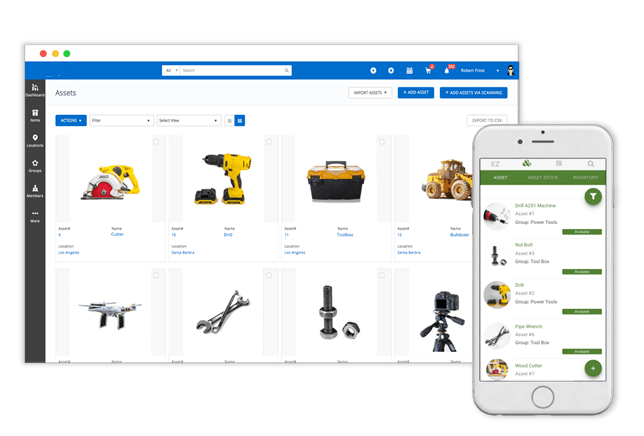
An RFID tool cabinet is an enclosed storage system that combines RFID-tagged tools, readers and antennas, controlled access and tool-management software. Each controlled tool carries a unique RFID tag that is applied to or embedded in the asset and linked to its corresponding record.
During a configured inventory cycle, the cabinet reader identifies the tags detected within the defined read zone. The software compares those reads with the expected contents and updates the relevant inventory or transaction records.
Depending on the selected cabinet and software, available features may include:
Configurable storage: Doors, drawers, compartments, foam inserts and charging connections for different tool types.
Controlled access: PIN, badge or biometric authentication for authorized users.
Automated inventory checks: Identification of tagged tools after a door closes, a drawer is accessed or another configured event occurs.
Issue and return records: Association of detected tool movements with a user, job, shift or work area.
Alerts and audit trails: Notifications for missing, overdue or restricted tools and a record of cabinet transactions.
Enterprise integration: Exchange of tool events and status data with tool-management, CMMS, EAM, MRO or ERP systems.
These capabilities are system- and configuration-dependent. Buyers should verify how each cabinet performs inventory, assigns transactions, manages exceptions, operates during network or power interruptions and prevents unintended reads from nearby storage areas.
RFID tool cabinets can strengthen inventory control and tool accountability, but they do not guarantee the prevention of tool loss, theft, FOD or compliance failures. Those outcomes depend on the complete system design and the procedures followed by its users.
How to Select an RFID Tool Cabinet
The industrial cabinet market includes item-level RFID cabinets, electronically controlled lockers, vending systems, weight-based cabinets and hybrid solutions. These terms are not interchangeable.
Some cabinets use RAIN RFID to identify individual tagged tools automatically. Others use RFID only to authenticate the user and rely on barcodes, scales, locked compartments or dispensing mechanisms to control the inventory.
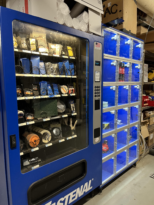
Examples of industrial cabinet and locker platforms include:
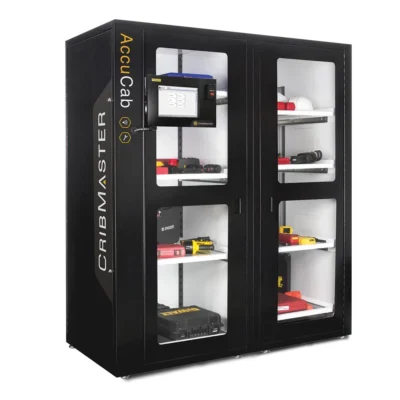
CribMaster AccuCab: An RFID inventory cabinet connected to the CribMaster software environment.
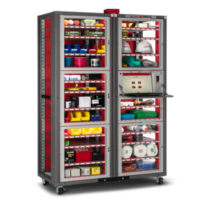
Snap-on AutoCrib AutoLocker FX and AutoCab FX: Modular locker and cabinet platforms for tools, equipment and industrial inventory. The identification and control method depends on the selected configuration.
Fastenal FASTVend: Industrial vending and asset-locker options for consumable and returnable equipment.
SupplyPro Smart Cabinet products: Cabinet, bin, weight-based and retrofit options using different access and inventory-control technologies.
When comparing systems, evaluate:
Asset population: Confirm that the cabinet dimensions, drawers and compartments suit the actual tools, kits and equipment being controlled.
Identification method: Determine whether the system identifies individual assets through RAIN RFID or controls inventory through compartments, barcodes, scales or another method.
Read-zone performance: Test the intended tags with representative tools, orientations and a fully loaded cabinet. Check for missed reads and unintended reads from adjacent storage. The RFID Readers Guide explains the wider reader and antenna considerations.
Transaction logic: Define when inventory is performed and how removal, return, missing-tool and exception events are assigned to users.
Software and integration: Confirm the system of record, required data fields, APIs, reports, alert rules and connections to CMMS, EAM, MRO or ERP platforms. See the Tool Crib Software Guide for additional selection criteria.
Operational resilience: Evaluate backup power, offline access, manual override, transaction recovery, cybersecurity, software support and service-level commitments.
Deployment and support: Confirm installation requirements, user training, tag commissioning, maintenance responsibilities and support coverage across the intended sites.
Existing storage can sometimes be retrofitted with RFID readers, antennas and access controls. The feasibility depends on cabinet construction, shielding, available space, power and network access, required read accuracy and the ability to service the completed system.
Selecting RFID Tags for Smart Tool Cabinets
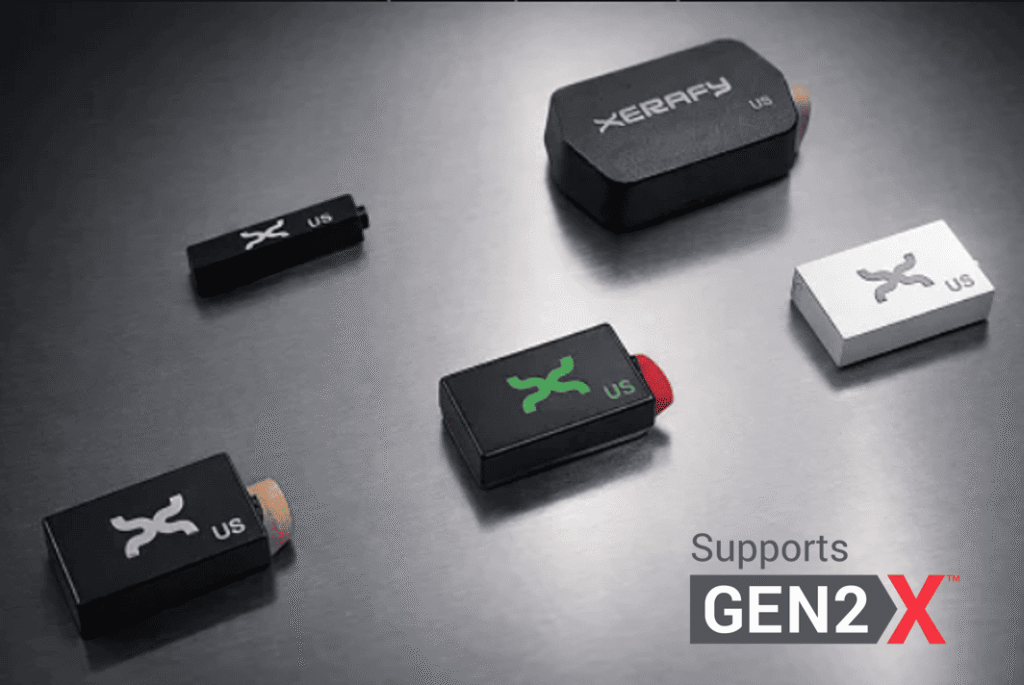
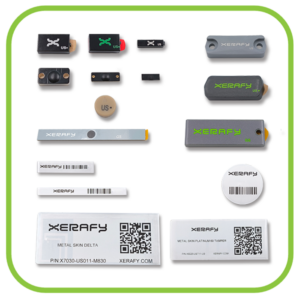
RFID tag selection should be based on the tool material, available mounting area, geometry, handling, environmental exposure and position inside the cabinet. A single tag format is unlikely to suit an inventory containing sockets, hand tools, gauges, power tools and larger equipment.
Starting points include:
Metal hand tools: PICO On provides a compact, rugged on-metal option for wrenches, pliers and similar tools.
Sockets and restricted mounting areas: XS Dash and XS Dot provide smaller form factors where available space is limited.
Tools with an approved recess: XS Wedge or PICO In can be embedded to protect the tag from repeated handling, impact and abrasion.
Plastic or composite tools: PICO Off is designed for attachment away from metal.
Power tools and larger equipment: PICO Plus, NANO Plus or MICRO Power provide larger rugged formats and additional read-performance options.
Tools exposed to temperature, chemicals or washdown: Select an appropriate rugged PICO or MICRO model based on the actual exposure cycle and attachment requirements.
RFID tags can be attached using industrial adhesive, epoxy, heat-shrink tubing, mechanical fasteners or an engineered recess. Placement should not interfere with the grip, moving parts, contact surfaces, calibration markings, storage position or normal use of the tool. Any permanent modification to safety-critical, calibrated or warranted tools should be approved by the manufacturer or responsible engineer.
These recommendations are evaluation starting points. Candidate configurations must be tested on representative tools using the intended attachment method and cabinet reader. Testing should cover different orientations, drawers and storage positions, including a fully loaded cabinet, to identify missed reads and unintended reads from adjacent zones.
See RFID Tool Tracking for MRO for detailed selection and attachment guidance, or request the MRO Test Pack to evaluate representative Xerafy tags on your own assets.
Integrating RFID Tool Cabinets into Existing Workflows
Successful deployment begins with the tool-control workflow rather than the cabinet hardware. Define what must happen when a tool is removed, returned, missing, overdue or restricted, and which system will maintain the authoritative record.
A typical implementation follows eight steps:
Define the required events: Document cabinet access, inventory, issue, return, reservation, missing-tool and exception workflows.
Establish the system of record: Decide whether tool identity, custody, calibration and maintenance data will be managed in the cabinet application, tool-management software, CMMS, EAM, MRO system or ERP.
Segment the asset population: Group tools by material, size, geometry, storage method, handling and environmental exposure.
Select tags and attachment methods: Approve representative RFID configurations for each tool group without interfering with use, inspection or storage.
Configure the cabinet read zones: Position and tune readers and antennas for the intended drawers, shelves and compartments.
Connect the software workflow: Associate each RFID identifier with its asset record and configure users, permissions, alerts, exception rules and enterprise integrations.
Run a representative pilot: Test the most difficult tools and orientations in a fully loaded cabinet. Confirm inventory accuracy, transaction assignment, missed-read recovery and control of unintended reads.
Deploy with operating controls: Train users, document approved tag configurations and define procedures for damaged tags, replacement tools, untaggable assets, network interruptions and manual access.
The pilot should test the complete workflow rather than tag read range alone. A successful read must produce the correct inventory or transaction event in the software and remain repeatable under the conditions expected during daily operation.
Xerafy engineers can help qualify tag formats, placement, attachment and read performance for the tool population. Cabinet configuration, software and enterprise integration are typically completed with the selected system provider or a qualified RFID partner.
How to Evaluate an RFID Smart Cabinet
Evaluate the cabinet with the actual tools, tag configurations and workflows expected in deployment. A demonstration using an empty cabinet and a small set of sample tags is not sufficient to confirm performance under operating conditions.
The evaluation should cover:
Tool and tag fit: Confirm that each tag fits the available mounting area, remains protected during use and does not interfere with storage, inspection, calibration or handling.
Attachment durability: Test the intended adhesive, epoxy, heat-shrink, mechanical attachment or embedded configuration against expected impact, cleaning, chemical and temperature exposure.
Loaded-cabinet read performance: Test all drawers, shelves and compartments with a representative tool population and the cabinet fully loaded. Include different orientations and densely stored metal tools.
Read-zone control: Measure missed reads, duplicate events and unintended reads from adjacent drawers, cabinets or work areas.
Transaction accuracy: Confirm that each access, inventory, issue, return and exception event is assigned to the correct asset and user in the software.
Integration and recovery: Validate required data exchange with the system of record, together with offline operation, manual access, power-loss behavior and transaction recovery.
Operational exceptions: Define how damaged tags, replacement tools, untaggable assets, overdue calibrations and restricted equipment will be handled.
Set measurable acceptance criteria before the pilot begins. Final approval should be based on repeatable identification and correct software events across the representative tool population, not maximum tag read range alone.
See RFID Tool Tracking for MRO for detailed tag-selection and attachment guidance and the Tool Crib Software Guide for software and integration requirements.
Xerafy develops field-proven RFID tags and labels for tracking assets in demanding industrial and enterprise environments. Its portfolio combines application-specific RFID engineering with products available for evaluation and deployment worldwide.
For requirements beyond standard products, Xerafy provides Custom RFID Tag services spanning printing, encoding, serialization and production configuration through to custom product engineering.